
Dogs and cats
Make the ChatGPT millionaire meme with a dog or cat photo
Choose "Your pet" in Millionaire AI, upload one clear reference image, pick a background and quality, then generate. The result is a 13-second MP4 of the pet performing the millionaire skit, with the original voice track.
Before choosing your photo, look at the tabby reference image and its Beach video. They show the input and the actual result together.
What the tabby example shows
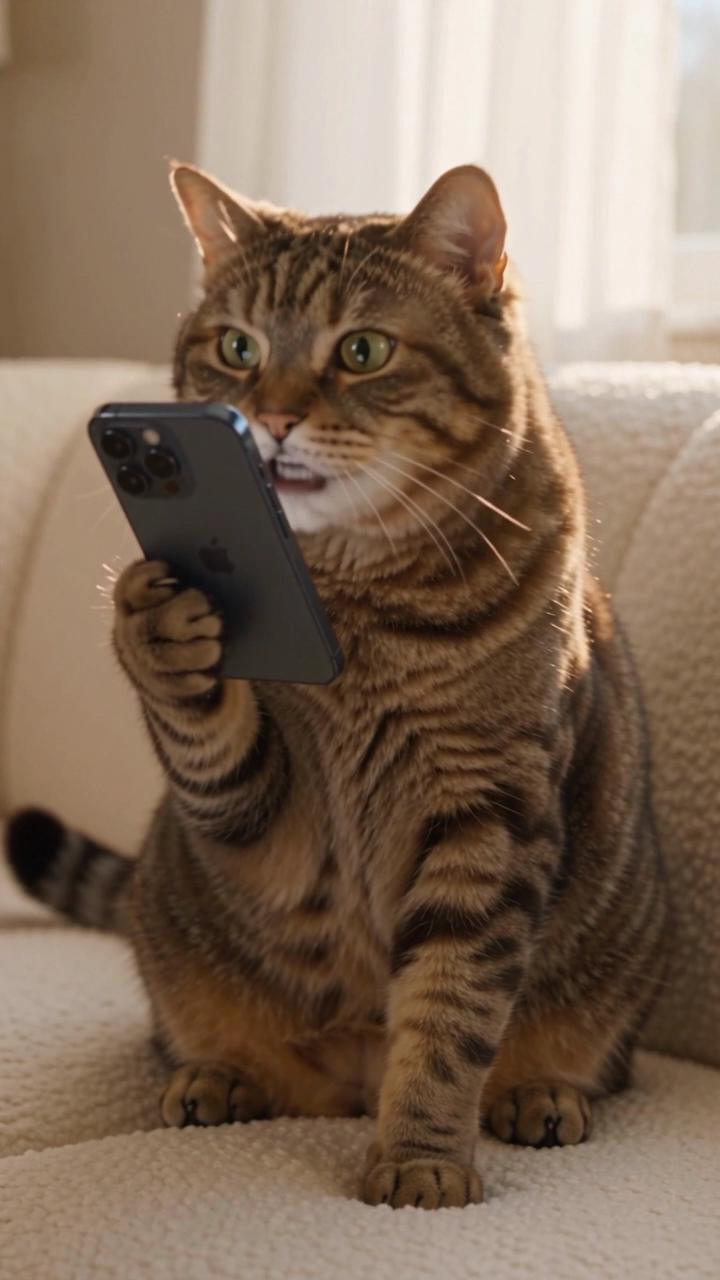
The reference is a seated tabby indoors, already posed with a phone. The generated result moves it to a beach, standing upright and holding the phone through the performance.
The fur pattern, face and ears make the cat recognizable. The pose and surroundings change. Watch the moving clip to judge the paws and phone; the poster only shows one frame.
This reference is a staged image with a phone. It illustrates that input and result, rather than promising the same outcome from every casual pet snapshot.
Choose a photo where the pet is easy to recognize
Use an image with one animal, its eyes and muzzle visible, and enough of the head and chest to show its markings. Bright, even light gives you a clearer reference than a dark photo or a distant shot.
Avoid a photo where another animal overlaps the face. A heavy filter can hide the fur colors you want in the result. The creator accepts JPEG, PNG and WebP files up to 10 MB.
The output recreates a performance from the template. The photo supplies the pet's appearance; it does not choose new dialogue.
Make your version
- Open the video creator and select "Your pet".
- Add your reference image.
- Choose one of the ten backgrounds. The published tabby example uses Beach.
- Choose 480p for 10 credits or 720p HD for 20 credits.
- Confirm that you have permission to use the image, then select Generate. Sign in when prompted and purchase credits if needed.
- When the order is complete, watch the video and download the MP4 from your result page.
The smallest pack is US$8.99 for one 480p generation. A US$14.99 pack covers one 720p generation or two 480p generations. See the current pricing.
Check the parts that move quickly
Watch the face when the pet looks down, the mouth during the spoken line, and the paws as the phone moves. Those details can change during an AI generation even when the still frame looks convincing.
Check the voice at the same time. The file uses the skit's English voice, rather than a new voice based on your pet or a script you enter. The on-screen caption is fixed.
Download with sound or make a silent version
The normal download already contains the dialogue. If you want to add another track in an editor, make a free Silent export from the completed result. Use the free Square option when you want a square file.
For the source performance and context behind the joke, read the original meme explanation. For the complete product workflow, read the photo-to-video tutorial.